


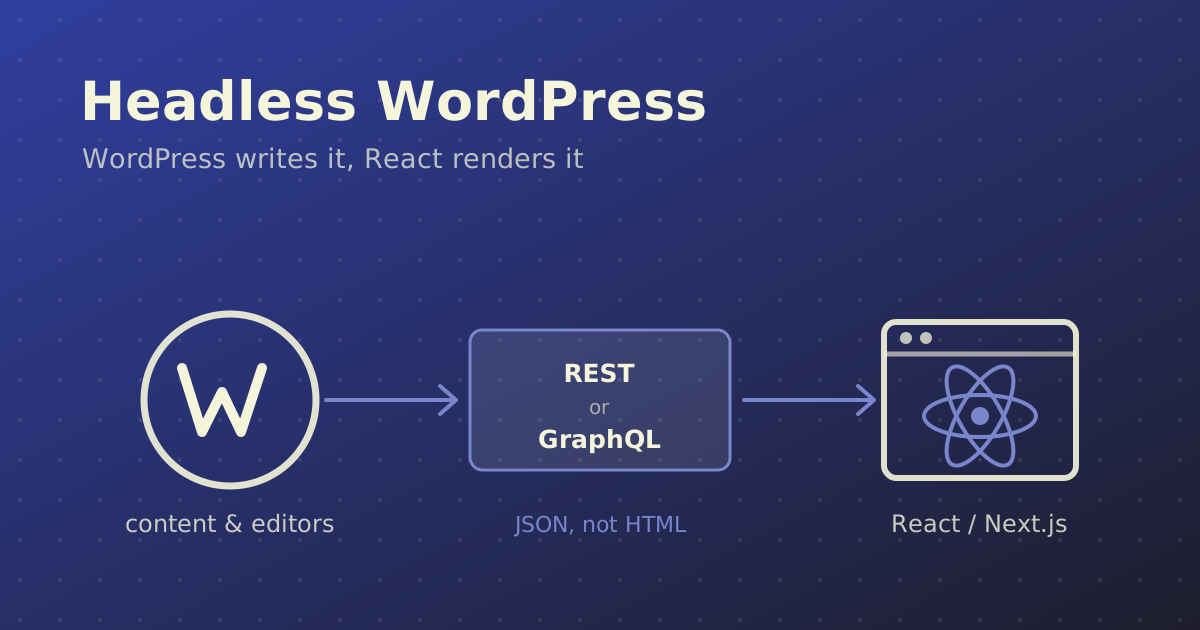
Headless WordPress means keeping WordPress for what it is genuinely good at — writing, editing, media, roles, workflow — and throwing away the part that renders HTML. The theme goes, PHP templates go, and a React or Next.js application reads the content over an API and renders it instead.
It is a good architecture. It is also oversold. Having built both headless sites and plenty of conventional ones, this is what the trade actually looks like.
What "Headless" Actually Changes
In a normal WordPress site, one PHP request does everything: fetch the content, run it through a theme template, return HTML. Content and presentation live in the same codebase and ship together.
Decoupled, that single request becomes two systems:
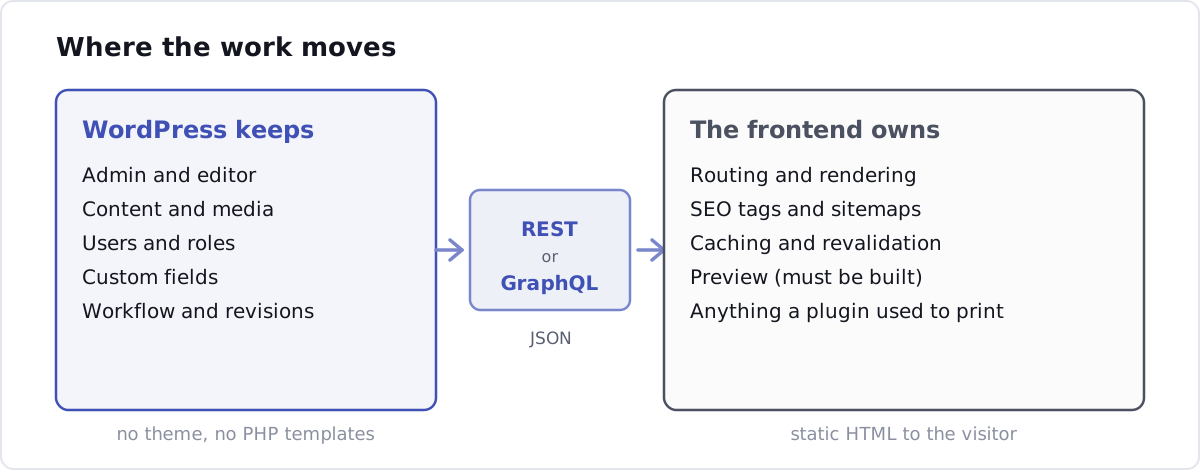
The editor still logs into /wp-admin and sees the interface they know. What changed is that WordPress no longer draws the page. It hands over JSON, and your frontend decides what to do with it.
When It Is Worth It
Headless earns its extra complexity in a few specific situations:
- The frontend is an application, not a brochure. If you already need React for a configurator, a dashboard or heavy interactivity, serving that from a PHP theme is the awkward option.
- One content source, several frontends. A website, a mobile app and an in-store display reading the same posts. This is the strongest case by far.
- The design is genuinely custom and performance is a hard requirement. A well-built Next.js frontend with static generation will beat almost any theme, because you are shipping pre-rendered HTML with no plugin CSS or jQuery attached.
- Your team writes JavaScript, not PHP. A real consideration. The stack people know is the stack they maintain well.
When It Is Not
Be equally honest about the other side:
- A marketing site with a content team that expects to see what they are editing. Preview is the single biggest thing you lose, and the usual reason clients become unhappy six weeks in.
- A budget that assumed a theme. Headless is two codebases, two deployments and two sets of dependencies. It costs more to build and more to keep running.
- Heavy reliance on plugins that render output. This is the one people underestimate, so it gets its own section below.
- A small brochure site. A good block theme will be fast enough, cost a third as much, and any WordPress developer can pick it up later.
REST API or WPGraphQL?
Two ways to get the content out.
The REST API
Built into WordPress core since 4.7, nothing to install. Content is at /wp-json/wp/v2/:
// app/blog/[slug]/page.tsx
const res = await fetch(
  `${process.env.WP_URL}/wp-json/wp/v2/posts?slug=${slug}&_embed`,
  { next: { revalidate: 3600 } }
);
const [post] = await res.json();
It is dependable and needs no extra plugin. The cost is shape: you get the endpoint's idea of a post, not yours. Fetching a post with its author, featured image, categories and a few custom fields usually means either _embed (which returns far more than you asked for) or several round trips.
WPGraphQL
The alternative is WPGraphQL by Jason Bahl. It is worth knowing where this plugin now sits: it is a canonical plugin on WordPress.org with support from Automattic, which is a meaningful change from its earlier life as a community project — it is no longer a bet on one maintainer's spare time.
You ask for exactly the fields you want, in one request:
query PostBySlug($slug: ID!) {
  post(id: $slug, idType: SLUG) {
    title
    content
    date
    featuredImage { node { sourceUrl altText } }
    author { node { name } }
    categories { nodes { name slug } }
  }
}
The ecosystem around it is the real argument. Three extensions you will reach for, with their exact names, because searching for approximations wastes an afternoon:
| Need | Plugin | Author |
|---|---|---|
| ACF fields in the schema | WPGraphQL for ACF | Jason Bahl |
| Yoast meta, canonicals, OG tags | WPGraphQL Yoast SEO Addon | ash_hitch |
| Query caching and invalidation | WPGraphQL Smart Cache | Jason Bahl |
That last one matters more than it sounds. A GraphQL endpoint hit on every request is a PHP request on every request, and you have just rebuilt the performance problem you left WordPress to escape.
Which to pick
REST if the content model is simple and you want zero extra plugins. WPGraphQL as soon as ACF is involved, because assembling a page from nested custom fields over REST turns into a waterfall of requests very quickly.
The Four Things That Go Wrong
1. Preview
In a themed site, preview is free. Decoupled, there is no preview until you build one: the frontend has to accept a draft token, fetch unpublished content, and render it in a draft-aware route. Next.js has Draft Mode for exactly this, and Faust.js — WP Engine's Next.js toolkit for headless WordPress — ships preview along with authentication, a template hierarchy and block-to-component mapping.
Decide this before you quote the project, not after the first editor asks why the preview button is broken.
2. Plugins that render output
A plugin that stores data is fine. A plugin that renders HTML, enqueues CSS or prints a shortcode is not, because nothing on the frontend runs PHP.
Contact Form 7, most slider and gallery plugins, popup builders, anything that produces markup — all of it stops at the API boundary. You rebuild that functionality in React or drop it. This is the cost people underestimate most. Before committing, go through the client's plugin list and sort it into "stores data" and "renders output". The second column is your real scope.
3. Rebuilding what the theme gave you free
Headless hands you an empty project. Sitemaps, canonical URLs, redirects, 404 handling, RSS, breadcrumbs, pagination, schema markup — all of that came with the theme and a plugin. Now it is yours to implement in Next.js. None of it is hard; all of it is hours.
4. Two systems to host, secure and update
You now run a WordPress install and a Node application. Two deploy pipelines, two dependency trees, two sets of security updates. And WordPress is still on the public internet unless you lock it down — restrict /wp-admin, rate-limit or authenticate the API, and keep it patched. A headless backend that nobody looks at is a backend that nobody notices has been compromised.
Making It Fast
The architecture does not make a site fast on its own. What makes it fast is not hitting WordPress at request time.
In the Next.js App Router, cache the fetch and revalidate on a schedule:
const res = await fetch(`${process.env.WP_URL}/wp-json/wp/v2/posts`, {
  next: { revalidate: 3600, tags: ["posts"] },
});
Then have WordPress tell the frontend when something actually changed, rather than waiting an hour:
// functions.php — ping the frontend when a post is saved
add_action( 'save_post', function ( $post_id, $post ) {
    if ( wp_is_post_revision( $post_id ) || 'publish' !== $post->post_status ) {
        return;
    }

    wp_remote_post( 'https://example.com/api/revalidate', [
        'timeout' => 5,
        'blocking' => false,
        'body'    => [
            'secret' => REVALIDATE_SECRET,
            'slug'   => $post->post_name,
        ],
    ] );
}, 10, 2 );
The route on the other end calls revalidateTag('posts') or revalidatePath(). Editors publish, the page updates within seconds, and visitors still get static HTML. Set blocking to false so a slow frontend never hangs the editor's save.
A Comparison, Honestly
| Classic WordPress | Headless + Next.js | |
|---|---|---|
| Build cost | Lower | Higher, roughly 1.5–2× |
| Hosting | One PHP host | WordPress + a Node host |
| Raw performance | Good with caching | Excellent, statically generated |
| Editor preview | Free | Must be built |
| Plugin ecosystem | All of it | Data plugins only |
| Who can maintain it | Any WP developer | A JS developer, plus WP knowledge |
| Multiple frontends | No | Yes, the main reason to do it |
| SEO plumbing | Plugin handles it | You implement it |
Frequently Asked Questions
Is headless WordPress faster than a normal WordPress site?
Usually yes, but not because it is headless. It is faster because the frontend is statically generated and ships none of the plugin CSS and JavaScript a theme accumulates. A well-cached conventional site with a lean custom theme can get close. If speed is the only goal, fixing the existing theme is cheaper than rebuilding the whole frontend.
Can I still use Elementor or a page builder with headless WordPress?
Not meaningfully. Page builders produce HTML and CSS rendered by PHP on the frontend, which is precisely the layer you removed. The content model for a headless site should be structured data — custom fields and blocks — not builder markup.
What happens to SEO plugins like Yoast?
Yoast still runs in the admin and still stores your titles, descriptions and canonicals, but it cannot output them, because it never renders your pages. The WPGraphQL Yoast SEO Addon exposes that data in the GraphQL schema so your Next.js frontend can put it into the document head itself. Sitemaps are the same story: Yoast's sitemap describes the WordPress install, not your frontend, so you generate your own.
Do I need WPGraphQL, or is the REST API enough?
The REST API is enough for a simple content model and has the advantage of being in core. Once Advanced Custom Fields is involved, or a page is assembled from several related content types, WPGraphQL saves you a waterfall of requests and a lot of glue code. Most projects of any size end up on WPGraphQL.
Should I make an existing WordPress site headless?
Rarely, on its own. Rebuilding a working site as headless is a full frontend rewrite with no new features to show for it. It makes sense when you are redesigning anyway, or when a second frontend such as a mobile app has appeared. If the complaint is only that the site is slow, audit it first — the problem is usually a page builder, unoptimised images or missing caching, and all three are far cheaper to fix.
In Short
Headless WordPress is the right call when you need one content source feeding more than one frontend, or when the frontend is genuinely an application. It is the wrong call when it is chosen because it sounds modern, on a brochure site with a content team who just want to see their changes before they publish.
If you are weighing this up for a specific project, that decision is part of what I do — including saying when a good theme is the better answer.